
WordPress resource
BeTheme 29.0.4 Free Download — Template Checks & Nulled FAQ
The same synthetic content was checked in the normal and Blank Page templates, then opened with the native mobile menu. Includes the separately inventoried child theme.
BeTheme v29.0.4 Free Download
Why the Blank Page looks different from a normal page
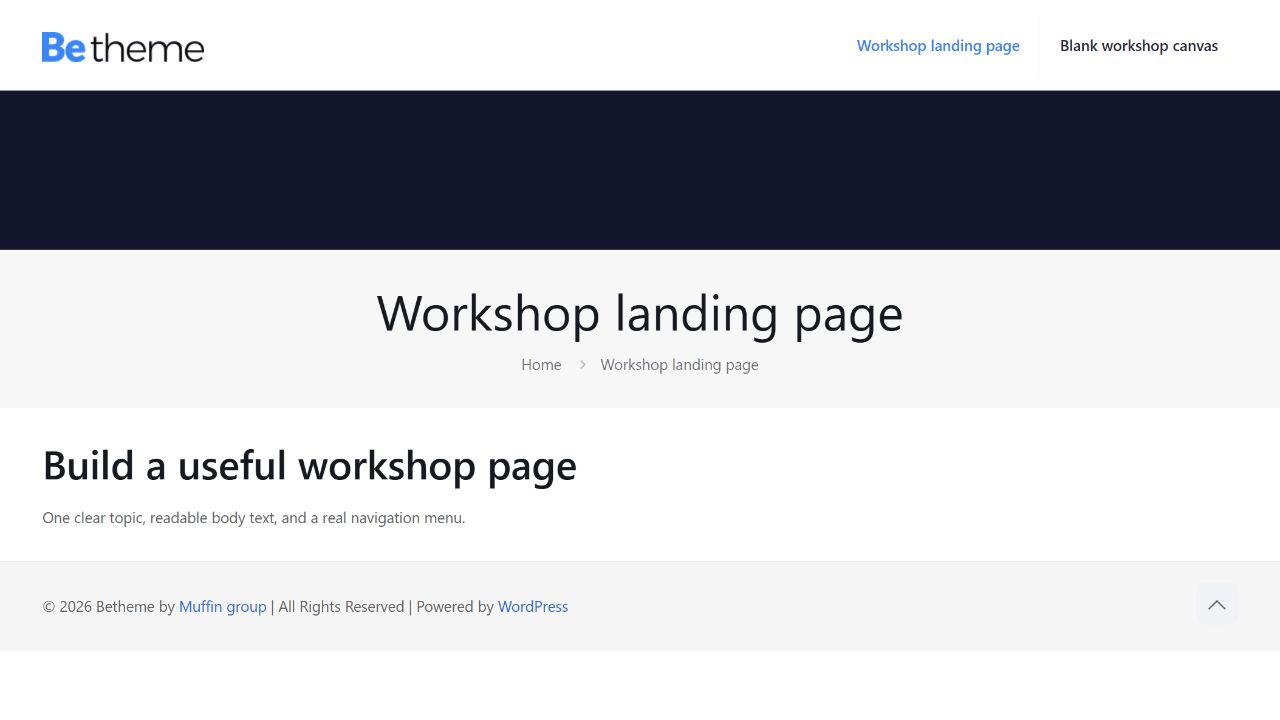
Our normal BeTheme page displayed the site header and its two-item navigation. The native Blank Page template displayed the synthetic page content without that header/menu chrome. If a page suddenly lacks navigation, checking its assigned template is more useful than immediately rebuilding the menu.
We tested the supplied parent theme 29.0.4 with standard WordPress block content, not an imported vendor demo. The archive contains third-party packaging modifications and is not presented as an unchanged manufacturer ZIP. The child theme 1.6.2 is inventoried in a separate companion archive but was not activated for these checks.
The ordinary page and assigned main menu
The fixture created two pages and a two-item WordPress menu, then assigned it to BeTheme’s native main-menu location. It saved the theme’s responsive option and a 960-pixel mobile-menu breakpoint. The page text and links were synthetic, making it straightforward to tell the test content from theme-provided layout.
| Check | Observed result | Boundary |
|---|---|---|
| Parent version and template availability | 29.0.4; native Blank Page template found | Package/header and native template registration |
| Normal page | Header and assigned menu visible | One basic block-content page |
| Blank Page assignment | Content visible without header/menu | Expected template difference |
| 390-pixel view | Native mobile menu opened; no horizontal page overflow | One controlled page and menu |
A menu existing in WordPress does not guarantee that it is assigned to the location used by the theme. In a migration, inspect both the menu contents and its location assignment before changing CSS. Our native location check and visible menu check agreed for this small example.
The native Blank Page comparison
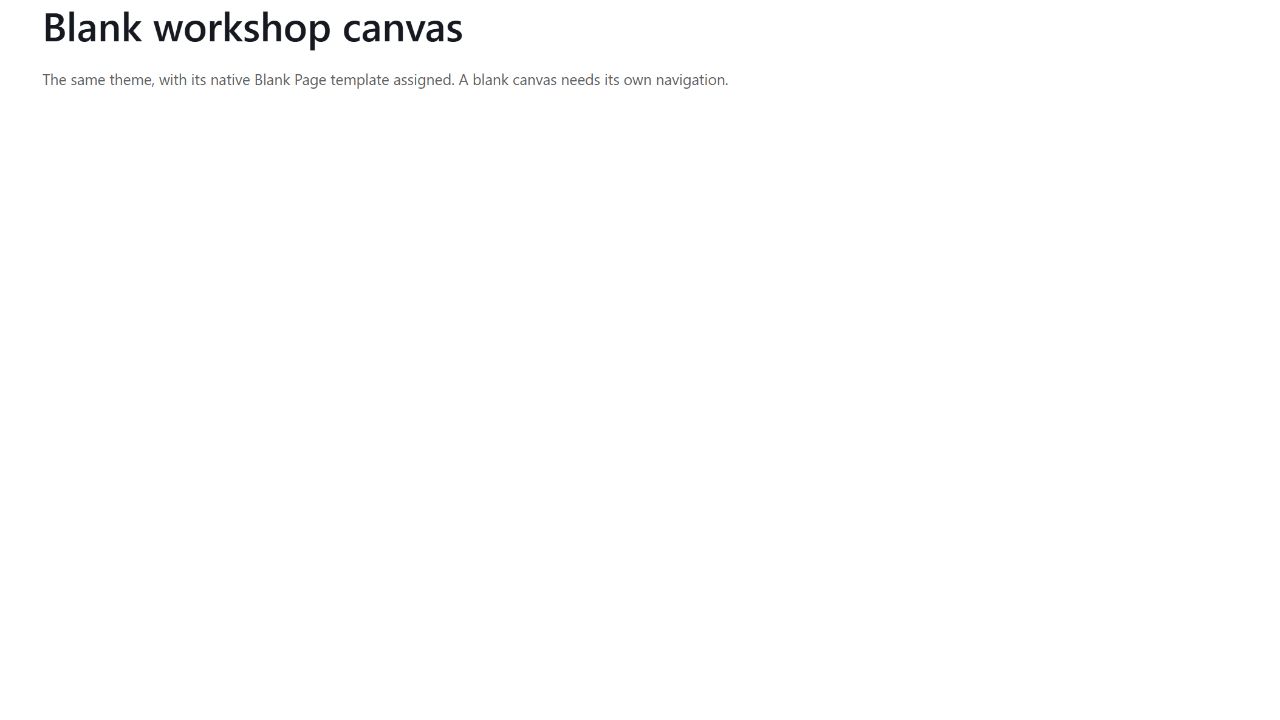
We assigned the actual template-blank.php option to the comparison page. The result was verified in the browser, not inferred only from a saved metadata value. Use this kind of template deliberately for a page whose navigation is supplied another way. If a visitor should always have site navigation, the normal template is the appropriate starting point for this tested case.
The comparison does not establish how every BeBuilder layout, global header or third-party builder interacts with Blank Page. Test those separately when they are part of the actual project. We did not import a remote demo or test the manufacturer’s library services.
A real narrow-screen menu interaction
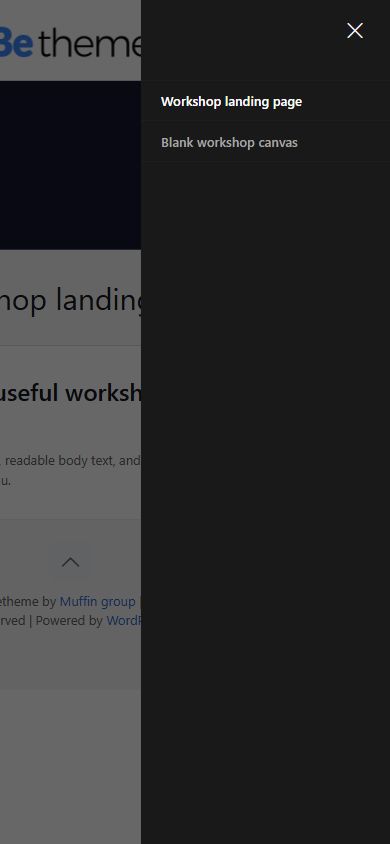
At 390 pixels, the normal page used the native mobile navigation control. Opening it exposed both links, and the page did not overflow horizontally. This is an interaction check, not merely a screenshot of a resized desktop header. It does not certify every menu depth, long translated label, touch device or custom header.
For a real deployment, repeat the check with your actual logo dimensions, longest navigation labels and important page templates. Those inputs can change wrapping and available space even when the basic theme options are unchanged.
Install the parent, choose the child only when needed
The primary download is the parent theme. The Companion Files download contains the supplied child-theme ZIP and inventory; it is not an All Addons package. Extract the outer archive before selecting a theme ZIP in WordPress. A child theme needs its parent available, but this publication does not claim that our tests were performed with that child active.
The reproduction fixture creates the normal/blank pages and menu and records native assignments. Adapt its guards in disposable staging. For a simple publication that needs no broad theme framework, a maintained block theme is a reasonable workflow to evaluate; we did not measure an alternative or make a performance comparison here. Commerce, page-builder editing, remote assets and account services remain untested.
BeTheme download and Nulled questions
“Nulled” usually describes software whose activation or licence checks have been removed or altered; the word alone does not determine whether a particular use is lawful. GPL-covered code can be studied, modified and redistributed subject to its licence conditions, but this does not grant access to a developer’s account, hosted services, updates or support. We discuss the term here to answer a common search question; the download details separately identify the package source and tested version. Any plugin or theme obtained through an unverified third party can contain unwanted changes or malicious code, whether or not it is labelled “nulled”. Before installing it, you can ask ChatGPT or Claude Code to inspect the extracted source for suspicious behaviour without executing it or sharing credentials. Treat that review as an additional check: AI can miss harmful code or flag harmless code, and a clean result is not a security guarantee.
Why is the header missing on one page? Our Blank Page assignment removed the normal header/menu chrome. Inspect that page’s template before assuming its menu is broken.
Was the child theme tested? It was inventoried, not activated. The visible tests used parent 29.0.4.
Is this an unchanged vendor archive? No such claim is made. Third-party packaging modifications are present; the exact offered bytes and source are recorded below.
Package record
- Package version
- 29.0.4
- Source
- GPLHub
- Source reference
- Source page ↗
- ZIP size
- 15.70 MB (16,467,395 bytes)
- SHA-256
e098170ff728f4f1138c037edf0d78ffbda36f4e68c7809af38b699d98ad2ed7- Checked
- Modification status
- Modifications identified
- Inspection notes
- The supplied GPLHub archive contains third-party packaging modifications. It is not represented as an unchanged manufacturer ZIP. No full security audit or trusted same-version vendor comparison was performed; the bounded tests below do not establish guaranteed safety, support or account entitlement.
Companion archive
- Archive
- betheme-companions-20261021.zip
- Archive size
- 312.6 KB (320,127 bytes)
- SHA-256
f2889fe8878cf29eec8cbf73894360142ef40d6346db0e37ae9527f3f3873eb2- Notes
- Dated 21 October 2026 GPLHub companion snapshot, with duplicate and superseded component roots removed. Dependencies and themes are listed separately. Only the combinations expressly tested in the article were exercised; this is not every official add-on ever released.
| Component | Version | ZIP filename |
|---|---|---|
| Betheme Child | 1.6.2 | themes/betheme-child-1.6.2.zip |
Changelog
Download ZIP files
Free package downloads
The main package and companion files are separate downloads. The companion archive contains only the components listed in this page’s inventory.
Extract the companion archive first. Install only the individual theme or plugin ZIPs you need; do not upload the entire archive as one plugin.
Dated 21 October 2026 GPLHub companion snapshot, with duplicate and superseded component roots removed. Dependencies and themes are listed separately. Only the combinations expressly tested in the article were exercised; this is not every official add-on ever released.