
WordPress resource
Yoast SEO Premium 28.7 Download: Tested SEO Controls & Nulled FAQ
We tested Yoast SEO Premium 28.7 and core 28.7 with real metadata, noindex, sitemap and HTTP 301 checks. See actual results, reproduction fixtures, modified-package details and separate main ZIP/add-on bundle downloads.
Yoast SEO Premium v28.7 Free Download
What Yoast SEO Premium adds to this workflow
Yoast SEO gives WordPress editors controls for the SEO title, meta description, canonical URL and robots preferences of a page, alongside XML sitemaps. Premium also includes a redirect manager. We tested those concrete outputs with Yoast SEO Premium 28.7 and its matching Yoast SEO 28.7 core dependency, rather than treating installation or a dashboard score as proof that a site’s SEO is finished.
The title, canonical, noindex and sitemap checks below concern functionality available in the core plugin. The permanent-redirect check exercises Premium. If your requirements stop at basic page metadata and sitemap management, the core plugin may already cover that workflow; the reason to add Premium should be a feature you actually need. This test does not measure ranking gains, traffic, AI features or account-backed services.
The actual test environment and privacy boundary
| Component | Observed value |
|---|---|
| Yoast SEO Premium | 28.7 supplied GPLHub package |
| Yoast SEO core dependency | 28.7 official core ZIP; same archive hash as the bundled dependency |
| WordPress / PHP | 7.1.3 / 8.4.26 |
| Database / theme | MySQL 8.4.11 / Twenty Twenty-Five 1.5 |
| Other active regular plugin | Baseline WP Reset |
| Method | Saved metadata and native presenters, followed by real HTML/XML/HTTP redirect checks |
| External services | HTTP integrations and email delivery blocked |
The fixtures were created at 10:46:43 UTC and the real HTTP checks followed after the test context was configured. We used four synthetic pages: a canonical destination, a title/canonical example, an explicitly noindexed page and a sitemap probe. A fifth, nonexistent resource path served as the redirect source.
The private lab originally discouraged indexing globally, which caused Yoast to omit the canonical. For the per-page test, WordPress search visibility was enabled inside the lab so the page’s own metadata preference could be measured. Outer HTTP authentication and noindex response headers stayed in force on HTML, sitemap and media responses. This is a controlled metadata test; it does not claim that any lab page was indexable on the public web.
A saved title and canonical must appear in the document head
The visible WordPress page heading was deliberately different from the SEO title. We saved Project planning toolkit | Yoast lab as the SEO title, a synthetic meta description, and a canonical pointing to the separate destination page. Both the native Yoast metadata presentation and a real HTTP response returned the expected values.
| Output | Observed result |
|---|---|
| HTTP response | 200 |
| HTML title | Project planning toolkit | Yoast lab |
| Meta description | Matched the saved synthetic description |
| Canonical | Pointed to /yoast-canonical-destination/ |
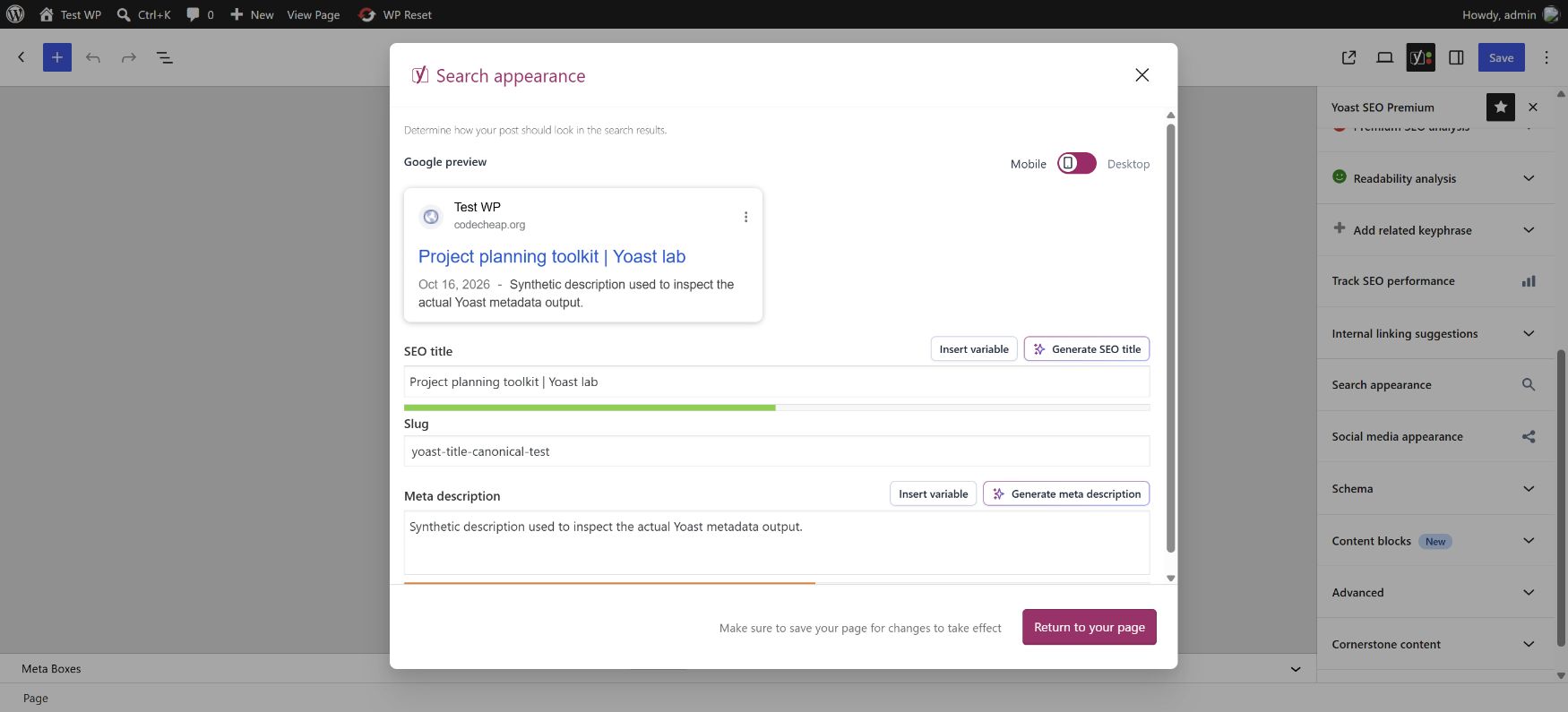
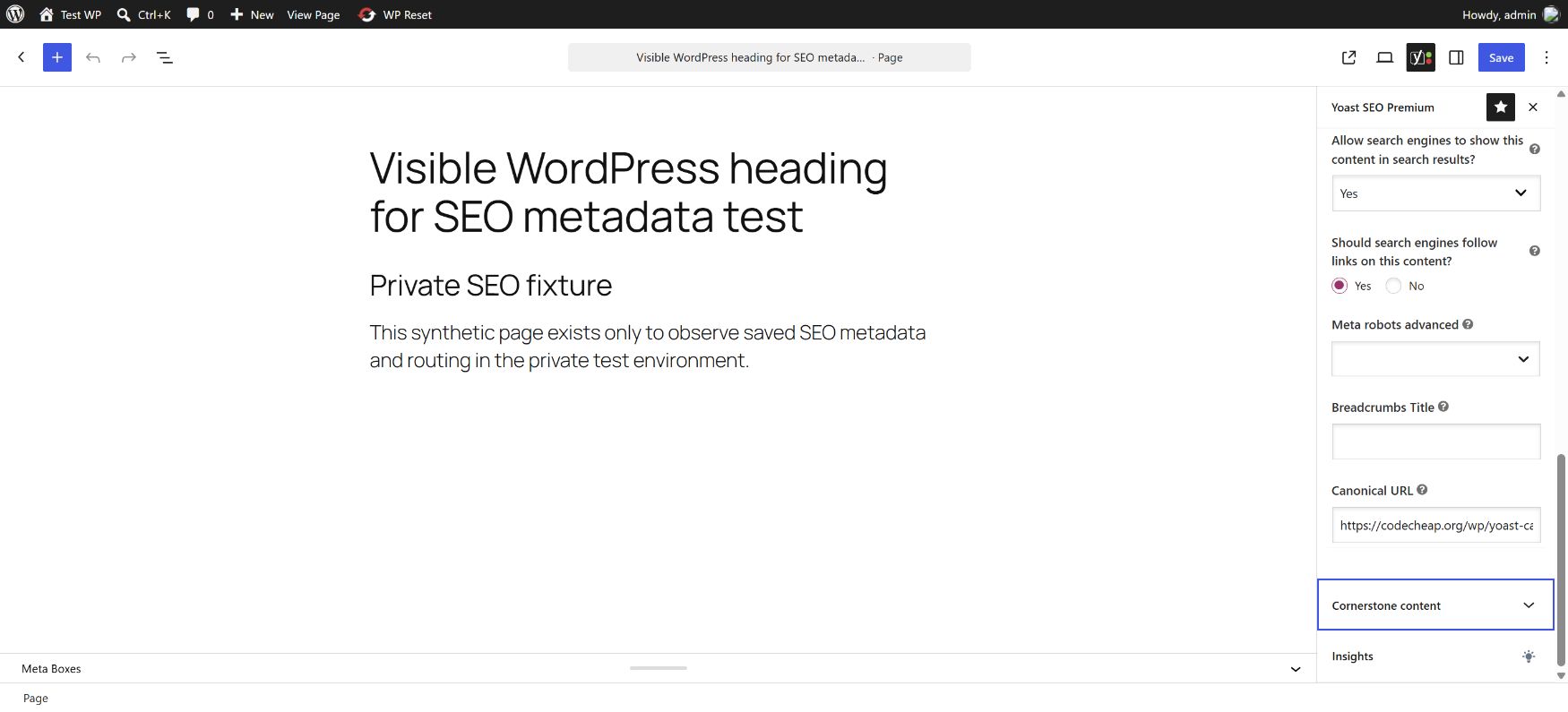
A canonical expresses the preferred URL for equivalent content; it is not an HTTP redirect. In this fixture, the title/canonical page remained a 200 response. The browser was not sent to the destination merely because the canonical changed. A search engine’s later interpretation of that hint is outside this local test.
Noindex changed both page metadata and sitemap inclusion
We explicitly set the internal resource page to noindex. Its saved directive and native robots presentation matched, and the real page response contained a robots meta value of noindex, follow. We then parsed the actual page-sitemap XML: the self-canonical sitemap probe was included and the explicitly noindexed resource was absent.
| Check | Observed result |
|---|---|
| Noindex page response | 200; robots meta included noindex |
| Page sitemap response | 200; valid XML parsed |
| Sitemap probe | Present in the page sitemap |
| Explicit noindex fixture | Absent from the page sitemap |
| Title page with a different canonical | Absent from the page sitemap |
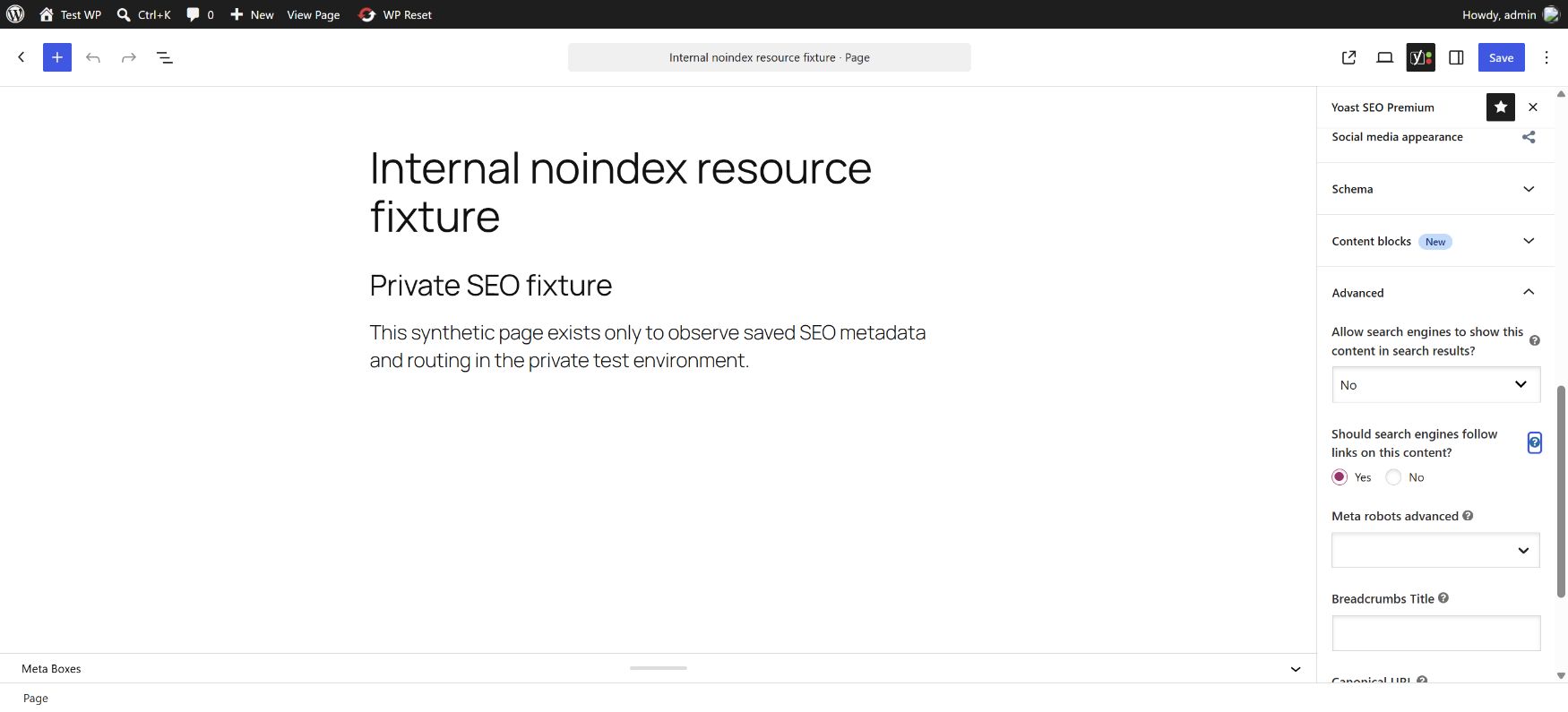
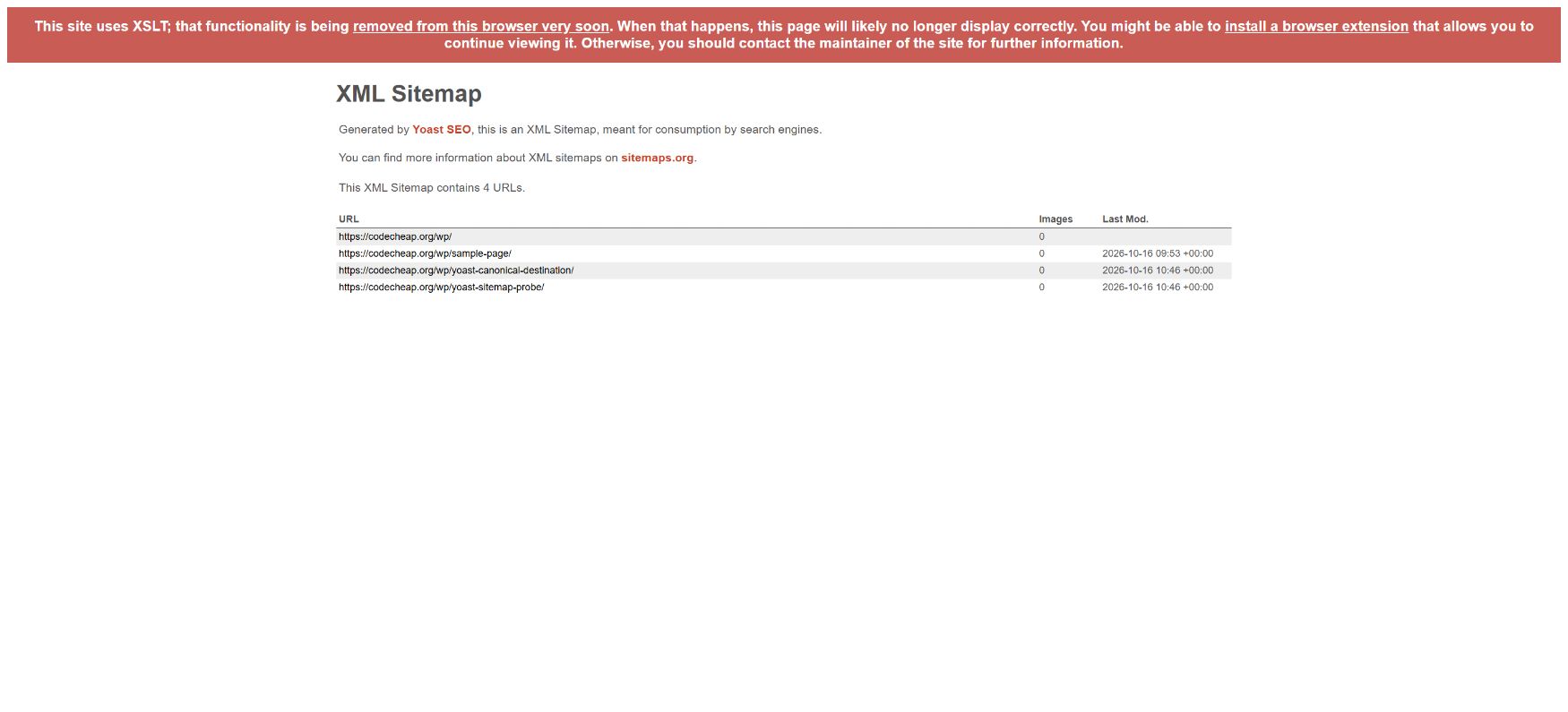
Yoast’s documentation describes both noindex and a canonical pointing elsewhere as reasons a URL may be omitted from its sitemap. These observations matched that behavior. A sitemap’s own noindex HTTP header does not mean its listed pages are automatically noindexed: Yoast documents noindex, follow on XML sitemap responses because the sitemap file itself need not appear as a search result.
Our private lab also imposed noindex headers independently of the plugin. The test distinguishes the page’s saved robots setting, the XML URL list and that outer privacy layer. It does not claim a search engine crawled, indexed or removed a page.
- Official guide: noindex individual URLs
- Official XML sitemap behavior and settings
- Official explanations for missing sitemap URLs
The browser capture shows an XSLT display notice. We also parsed the raw XML independently, so the sitemap result is based on its actual URL data rather than the browser’s styling layer.
Premium returned a real 301 to the selected destination
The Premium redirect manager stored a plain redirect from /yoast-old-resource/ to the sitemap-probe page. We tested the old path without following redirects automatically. The response was HTTP 301, its Location header pointed at /yoast-sitemap-probe/, and X-Redirect-By identified Yoast SEO Premium.
GET /yoast-old-resource/

HTTP 301
Location: https://example.test/yoast-sitemap-probe/
X-Redirect-By: Yoast SEO Premium
A subdirectory configuration detail was visible in the admin screen: entering a full same-site destination was normalized to a path that made the preview link repeat the site’s subdirectory, although the actual 301 Location was correct. Saving the home-relative target /yoast-sitemap-probe/ through the native manager aligned the preview with the destination. We rechecked the real 301 after that change; it still pointed to the intended page. No plugin source was patched.
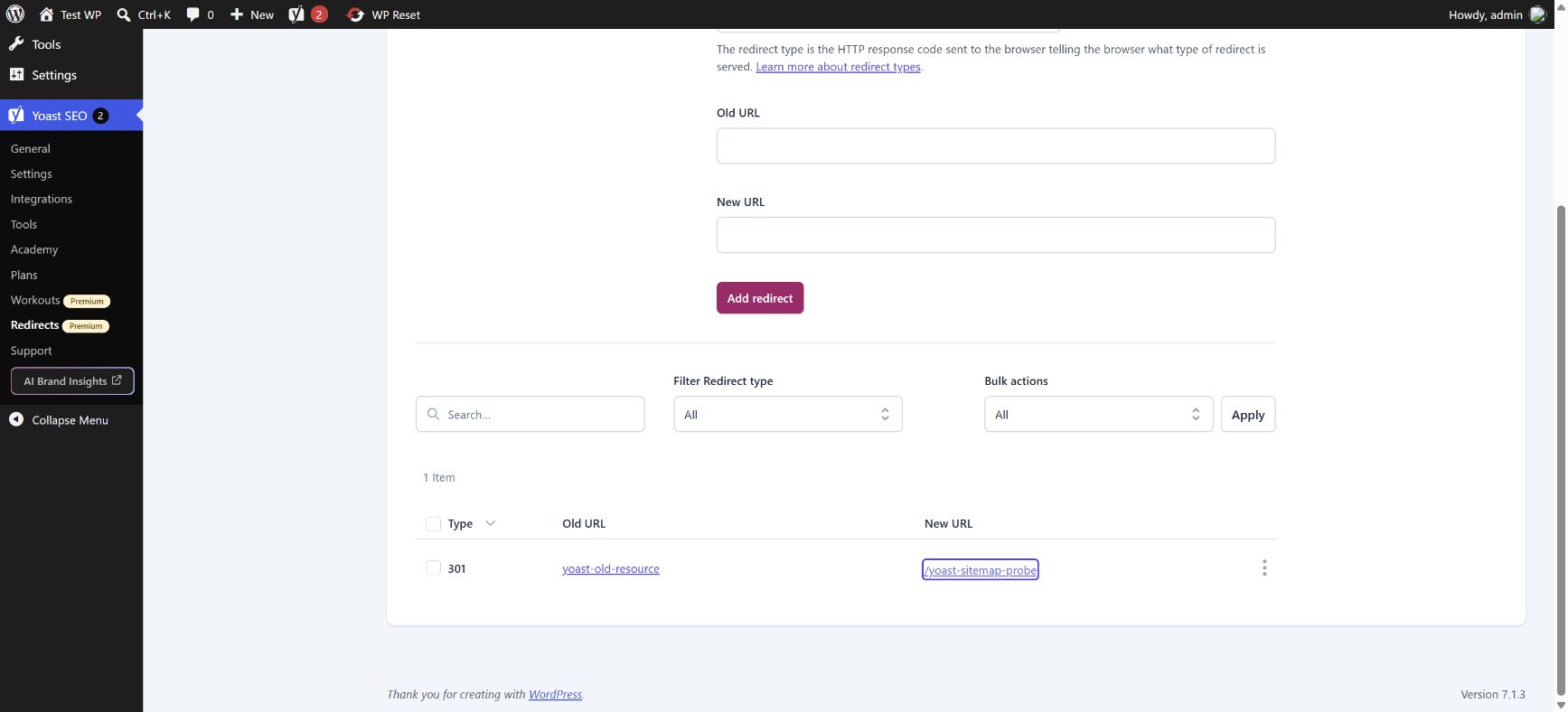
We used the default PHP redirect method. The official guide recommends that method when managing redirects on Nginx through Yoast, since the plugin cannot automatically update Nginx configuration like an Apache .htaccess file. This run covers one ordinary owner-created 301. It does not test regex rules, bulk imports, server-file exports, redirect chains or role-permission enforcement.
Installing the matching pair and reproducing the checks
- Use a backed-up staging installation and record the WordPress, PHP, theme and active plugin versions. Avoid running two competing plugins that both generate the same metadata or sitemap.
- Install and activate the matching Yoast SEO core dependency before the Premium ZIP. The official Premium 28.7 release requires Yoast SEO 28.7 or newer; this test used exactly 28.7 for both.
- Create a synthetic destination page and a separate metadata page. Save a recognizable SEO title, description and custom canonical in the editor. Inspect the actual HTML head after saving.
- Create a second page explicitly set to noindex and a self-canonical probe page. Fetch the generated page-sitemap XML and compare the exact URLs instead of relying on a settings toggle alone.
- In the Premium Redirects menu, create a plain 301 from an unused test path to the probe page. Check its status and Location without automatically following the redirect.
- Keep staging access restrictions in place throughout reproduction. Treat any server rewrite or cached output problem as an environment issue to diagnose before declaring a plugin feature broken.
The lab needed a narrow front-controller fallback correction for pretty URLs before the XML and redirect routes could be tested. After that correction, query parameters were preserved and the real requests succeeded. This was a private lab routing repair, not evidence that every Nginx site needs the same change.
The main ZIP and the dated All Addons bundle
The main download is the supplied Yoast SEO Premium 28.7 ZIP. The separate All Addons download is a dated GPLHub snapshot with four add-on archives, one core-dependency archive and an inventory. It is not a claim to include every Yoast product ever released. The core 28.7 dependency used in this test has the same archive hash as the dependency listed in that bundle.
Local, News, Video and WooCommerce add-on archives are listed in the supplied inventory. Their presence in a download bundle does not mean we activated or tested them. Account access, AI features, subscriptions and any hosted services remain separate from these local functional observations.
Reproduction specification and recorded results
The fixture JSON describes the synthetic pages, metadata preferences and plain redirect used in this test. It is a specification for manual reproduction or a developer script, not a direct Yoast settings-import file. Resolve its relative paths against your own staging home URL. The public results JSON retains the measured values while replacing the private lab hostname with example.test.
Repeat the checks in fresh requests after saving the settings, and compare the document head, XML and first redirect response. This avoids confusing same-request cached context, a global noindex preference or an unfixed server route with the intended page-level behavior.
28.7 release notes and the limits of this test
The official Premium 28.7 release notes, published on 13 October 2026, list a PHP-warning fix affecting some page builders and a change addressing the ability to add arbitrary internal redirects regardless of user role. They also raise the minimum required Yoast SEO core version to 28.7. Those are vendor release notes, distinct from our functional observations.
Our run did not reproduce the page-builder warning or test the redirect permission change with different roles. It measured normal owner-authored metadata, sitemap behavior and a plain redirect in the supplied modified package. It provides no claim about those other fixes, production rankings or the package’s vendor byte identity.
- Verified: saved title/description/canonical in native and real HTML output; explicit noindex; actual sitemap inclusion/exclusion; stored Premium redirect and its real HTTP301/Location.
- Untested: rankings, traffic, search-engine indexing, AI/account-backed services, external integrations, regex redirect rules, bulk migrations and all add-on compatibility.
- The supplied Premium ZIP is modified. Successful activation or these local feature checks do not prove vendor authenticity or guaranteed safety.
Yoast SEO Premium Nulled FAQ
“Nulled” usually describes software whose activation or licence checks have been removed or altered; the word alone does not determine whether a particular use is lawful. GPL-covered code can be studied, modified and redistributed subject to its licence conditions, but this does not grant access to a developer’s account, hosted services, updates or support. We discuss the term here to answer a common search question; the download details separately identify the package source and tested version. Any plugin or theme obtained through an unverified third party can contain unwanted changes or malicious code, whether or not it is labelled “nulled”. Before installing it, you can ask ChatGPT or Claude Code to inspect the extracted source for suspicious behaviour without executing it or sharing credentials. Treat that review as an additional check: AI can miss harmful code or flag harmless code, and a clean result is not a security guarantee.
Do I need Premium just to change a title or use a basic sitemap? Those controls are available in Yoast SEO core. The Premium-specific feature exercised here was the redirect manager; we did not test every Premium feature.
Does a canonical redirect the visitor? No. Our custom-canonical page returned 200. The separate redirect rule returned 301 and a Location header.
Can the All Addons archive be installed as one plugin? No. Extract the outer archive and install the required individual ZIPs. Its inventory is a package snapshot, not an assertion that every included integration was tested.
Package record
- Package version
- 28.7
- Source
- GPLHub
- Source reference
- Source page ↗
- ZIP size
- 1.34 MB (1,402,881 bytes)
- SHA-256
0088a569c29f6fe6cea995b99d1bbd8893bd12cf2beac0320c92f0d9bdb18e3d- Checked
- Modification status
- Modifications identified
- Inspection notes
- Supplied GPLHub Premium package is modified, including activation/licence-related handling recorded during package selection. Vendor byte identity is not asserted. The matching official core 28.7 dependency was used in the functional test; account services and additional add-ons were not tested.
Add-on bundle
- Archive
- yoast-seo-premium-all-addons-20261016.zip
- Add-ons
- 4
- Archive size
- 6.34 MB (6,652,206 bytes)
- SHA-256
7577fadec7c8569a268fdbe97b0a0bbd0ff9a06272ecb80b3f1872afa7fe3ce5- Notes
- All addons included in the GPLHub package on 2026-10-16, with duplicate and superseded copies removed. This is a dated GPLHub snapshot, not a claim to include every official addon ever released.
| Add-on | Version | ZIP filename |
|---|---|---|
| Yoast SEO | 28.7 | dependencies/wordpress-seo-28.7.zip |
| Yoast SEO: Local | 15.9 | addons/wpseo-local-15.9.zip |
| Yoast SEO: News | 13.3 | addons/wpseo-news-13.3.zip |
| Yoast SEO: Video | 15.2 | addons/wpseo-video-15.2.zip |
| Yoast SEO: WooCommerce | 16.8 | addons/wpseo-woocommerce-16.8.zip |
Changelog
Download ZIP files
Free package downloads
The main plugin and add-on bundle are separate downloads. The bundle includes only the add-on ZIPs listed in this page’s inventory.
The add-on bundle contains individual ZIP files and an inventory. Extract it, then install the add-ons you need; do not upload the entire bundle as one plugin.
All addons included in the GPLHub package on 2026-10-16, with duplicate and superseded copies removed. This is a dated GPLHub snapshot, not a claim to include every official addon ever released.